> ## Documentation Index
> Fetch the complete documentation index at: https://agno-v2-docs-scavio-google-v2.mintlify.site/llms.txt
> Use this file to discover all available pages before exploring further.
# Welcome to Agno
> Build, run, and manage agent platforms.
Agno provides an SDK, a runtime, and a control plane for building agent platforms.
| Product | Description |
| ----------------- | --------------------------------------------------------------------------------------------- |
| **SDK** | Build agents, teams, and workflows with memory, knowledge, guardrails, and 100+ integrations. |
| **AgentOS** | Run your agent platform in production with a stateless, secure FastAPI backend. |
| **Control Plane** | Monitor and manage your system using the AgentOS UI. |
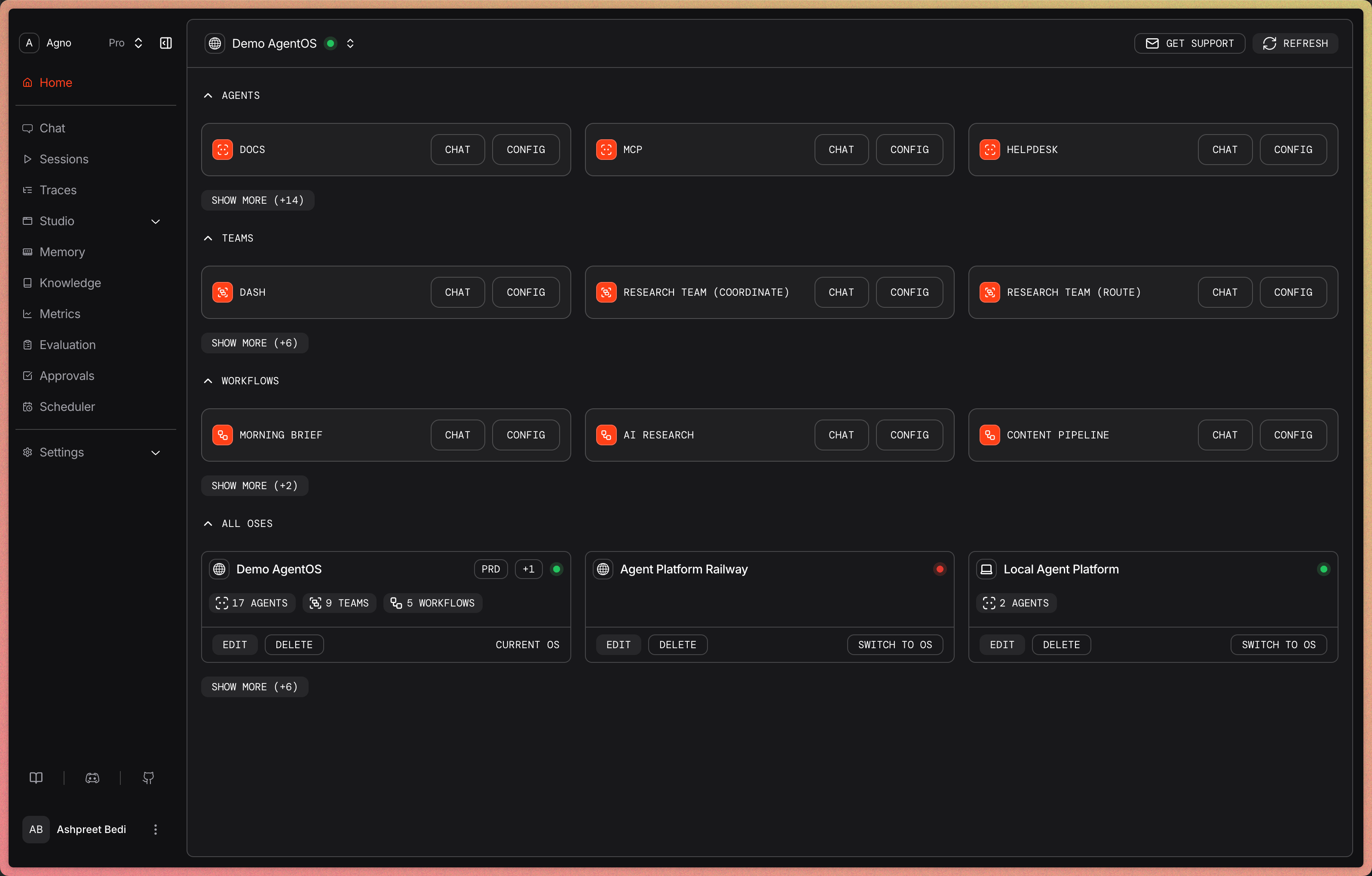 AgentOS runs your agent platform as a FastAPI application in your cloud. The fastest way to get started is to give your coding agent this prompt (select your cloud provider).
Get started
* [Build your first agent](/first-agent) with the Agno SDK.
* [Build your agent platform](/agent-platform/overview) with a coding agent.